Claude Code 接入国内模型
安装 Claude Code
按照官方安装:https://claude.com/
此时安装完 claude 之后,如果直接在终端中打开 Claude,可能会出现报错:
chenshibo@chenshibodeMacBook-Pro ~ % claude
Welcome to Claude Code v2.1.63
Unable to connect to Anthropic services Failed to connect to api.anthropic.com: ERR_BAD_REQUEST
Please check your internet connection and network settings.
Note: Claude Code might not be available in your country.
Check supported countries at https://anthropic.com/supported-countries
由于 Anthropic 对国内网络限制很严,使用科学上网也可能无法连接服务器
国内模型代理
这里推荐使用工具:https://github.com/farion1231/cc-switch
很简单,直接下载安装
选中 Claude Code,点击加号
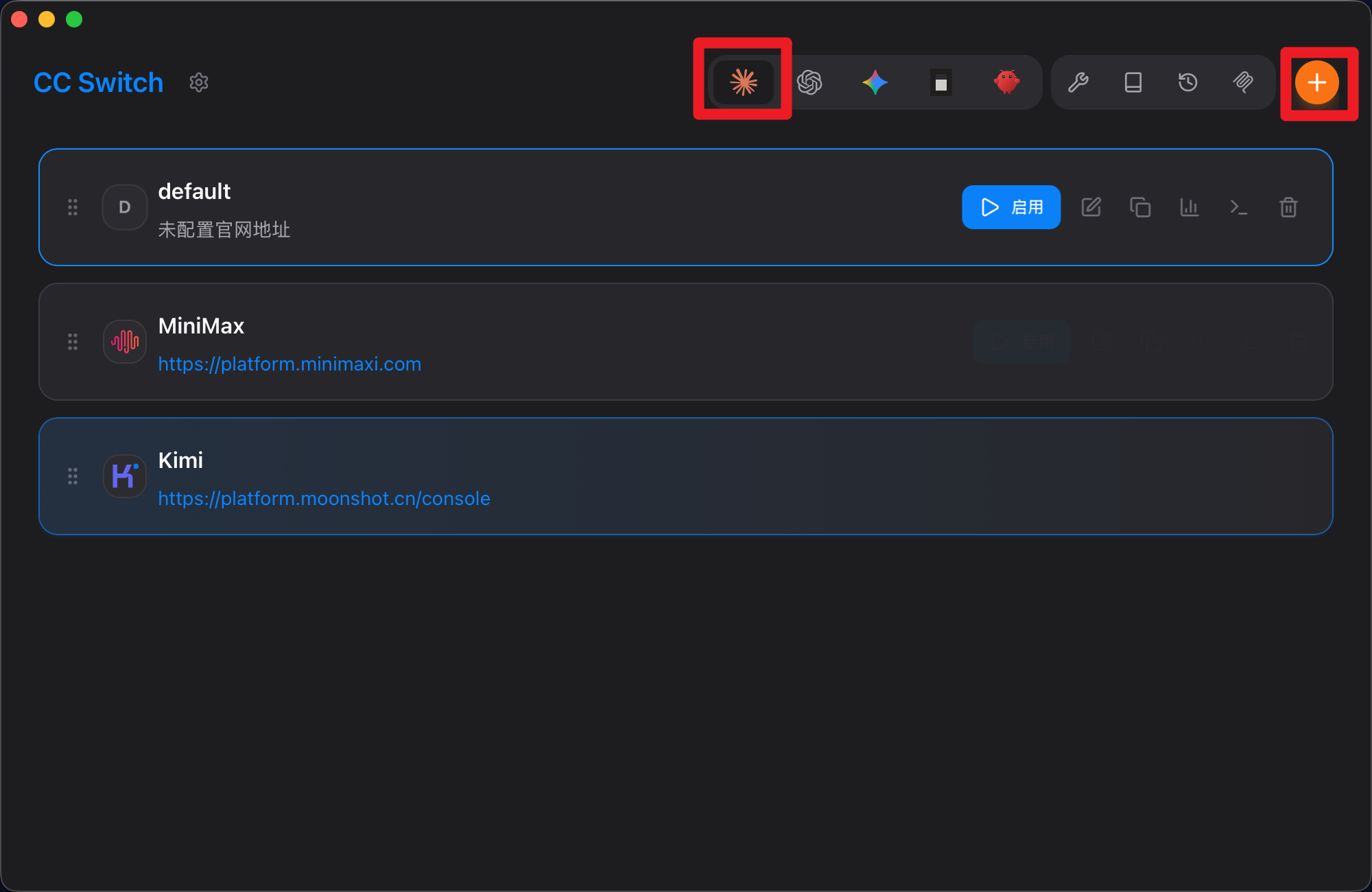
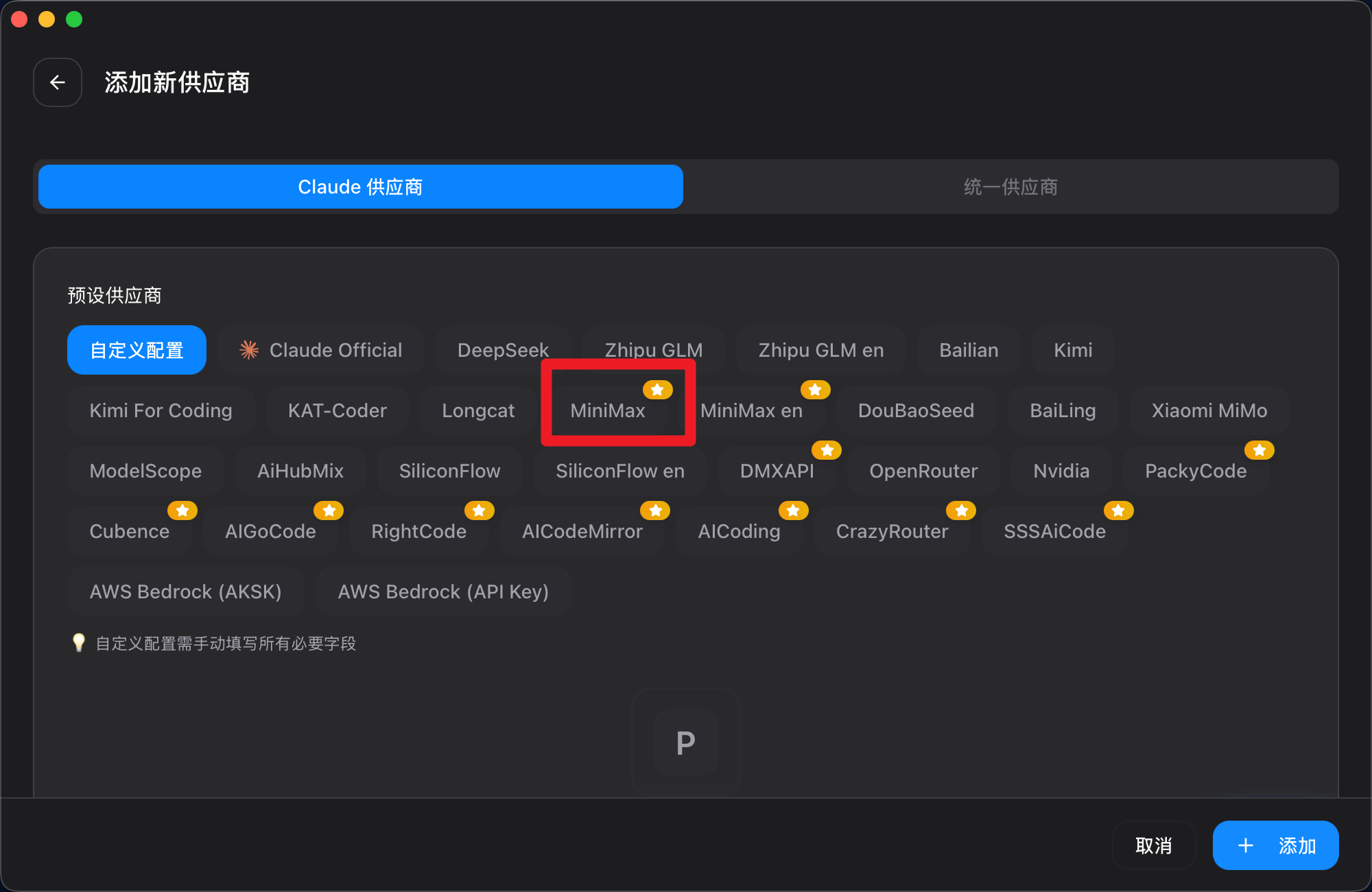
选择模型商,这里以 mimimax 为例:
下边填入你自己的API Key:
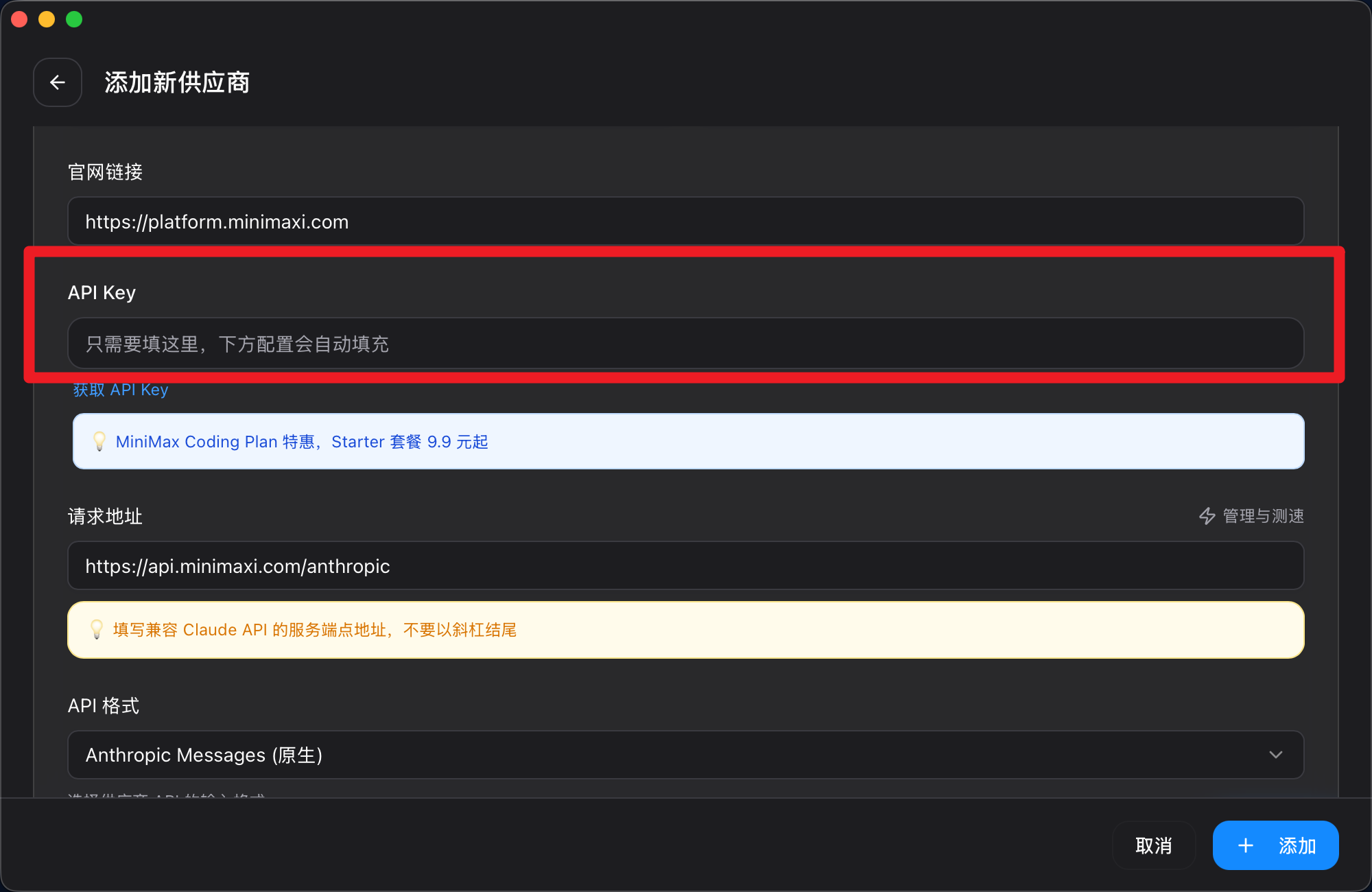
点击添加
此时再输入 Claude,就可以啦,可以愉快的使用 Claude 啦,打个招呼吧~

可以使用 /model 命令来查看支持模型

本文是原创文章,采用 CC BY-NC-ND 4.0 协议,完整转载请注明来自 Alvin
阅读建议





评论
匿名评论
隐私政策
你无需删除空行,直接评论以获取最佳展示效果